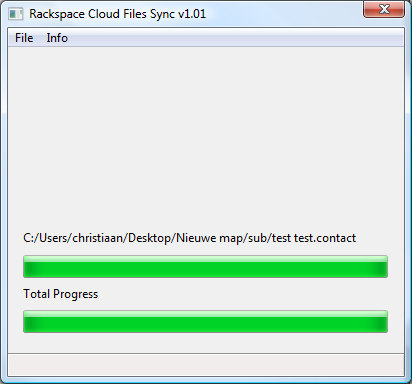
Rackspace Cloud Files Sync

Rackspace Cloud Files Sync is a small application one can use to create a online backup of any directory on your Windows PC. It’s also possible to restore a backup back to your hard disk.

Its main purpose is to keep a online backup of your most important files, like documents, photo’s and video’s.

Please note that although creating backups and restoring them works you’re at danger when restoring to the root of a drive. Always restore to an empty directory.

I’m in no way responsible for any data loss.

Download Rackspace Cloud Files Sync 1.04
(Windows XP/Vista/7)
Source is also available at GitHub.

Click here to lend your support to: Rackspace Cloud Files Sync and make a donation at www.pledgie.com !

DiggEmailRedditShare

4 Comments »

 
  • Dave Wood says:

    Hi,

    I have used Rack Cloud Files to store a lot of images. I need a program or some help figuring out how I can download all the files in a container to my pc. Any help would be appreciated.

    Thanks,
    Dave

    [Reply]

  • Htbaa says:

    Hi Dave,

    Just download Rackspace Cloud Files Sync and enter your username and API-key. When you choose to restore a folder/container you need to give it a destination folder (be sure you have enough space as it’ll download all files!). Then sit back and wait.

    Just be careful to select the ‘restore’ function, and not ‘backup’. If you backup an empty folder to a existing container all contents of the container will get erased.

    [Reply]

  • Kishore says:

    Hello Htbaa Guys,

    let me know if this is doable and if there can be a price for it.

    Basically I have a folder on my c:\imagehost and this folder has 100s of folders, within it one for each client say like client1 to client1000, now each of these client folders has many jpeg images in it.

    All these images will need to be copied to the cloud in such a fashion as given below.
    c:\imagehost\client1\quality.jpg will be copied to container xyz with a filename of client1/quality.jpg ( since folders are not supported in Rack cloud) and published as CDN.
    So basically the backslash will be replaced with a forward slash and cdn will be enabled for every resource.

    While I can do all that using the api, the quantum of images that I have is around 180 gigs and this app needs to check for updated file every couple of hours or at least two times in a day.
    I would be interested in buying your app ( I know its currently free ) because this looks cumbersome for me to achieve and I don’t have a lot of time to do this.

    Please let me know if your product could do this.

    Regards
    Kishore

    [Reply]

    Htbaa Reply:

    Hello Kishore,

    In it’s current state my application wouldn’t be of much use for such a big amount of files.

    If you don’t need to have a container per client you could give it a try though.

    Though modifying the app or writing a new app to suit your needs would be an interesting job, I simply don’t have the time for it, nor am I legally allowed to take on work from another client other than my employer.

    [Reply]


Leave a Reply

XHTML: You can use these tags: <a href="" title=""> <abbr title=""> <acronym title=""> <b> <blockquote cite=""> <cite> <code> <del datetime=""> <em> <i> <q cite=""> <strike> <strong>

Get Adobe Flash playerPlugin by wpburn.com wordpress themes